Tutorial: The WhiteSmoke Grammar Checker


The WhiteSmoke grammar checker is a core feature of the WhiteSmoke desktop application, and certainly the most powerful grammar checkers on the market. In this tutorial, we will introduce you to the grammar check feature, and demonstrate by example how it works, and how it compares with grammar checkers in other products.


Introduction - The WhiteSmoke Interface


WhiteSmoke Grammar Checker


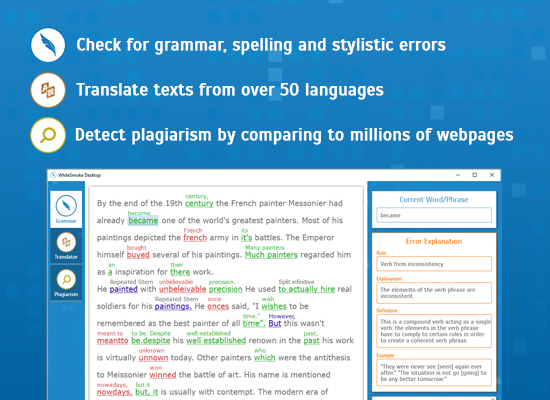
Once you select a text for checking and click the WhiteSmoke Key, WhiteSmoke launches. Immediately, WhiteSmoke makes an analysis of the text and marks all corrections and suggestions in a logical manner. As you can see above, the lower portion of the text area features a summary of the errors in, or suggestions for, the text. Green is the color for grammar errors. 


WhiteSmoke detects grammar errors by analyzing the text, sentence by sentence, and determining if the parts of speech are correct in the given context. Let's look closer at the first sentence, "Meredith made decision a long time ago not to write books ever again.", and the 6th sentence, "Maybe learn something completely different, such carpentry."


The Grammar Checker in Action


Example 1 


Grammar Checker on a sentence


In the first sentence, WhiteSmoke has detected a problem with the use of the word "decision". Note how an error has been detected, but the first suggestion, "decisions" is not necessarily the correct one - this is because there are several possibilities here, depending on the meaning of the sentence. 


Grammar Checker on a sentence 2


Clicking on "More..." we see a few more suggestions from WhiteSmoke, including the one we will select for this sentence - "the decision". 


Here in the first sentence we see a common error made by native and non-native speakers alike - that of the missing determiner. Non-Native speakers often make this error when learning the language as many other languages do not use determiners in this way. Native speakers often make this error due to fast typing, or typing without reading. In both cases, WhiteSmoke can detect and correct the error.


Example 2


In our second example, the sixth sentence, we have another common missing word error. Did you notice it the first time you read the sentence? Our brains often correct what we read as we read it, and so many of us miss such errors when we write. Here WhiteSmoke detects and corrects the missing word, making the sentence grammatically correct.


Grammar Checker eg 3


Compared to Other Grammar Checkers

Now, for the sake of comparison, let's take these two complete sentences and check them with MS Word's grammar checker - by far the most widely used grammar checker available.


WS vs Word


As you can see, MS Word cannot detect the missing determiner or the missing word in the phrase. If you checked this passage only with MS Word, you would be sending your reader a text with significant grammar errors.


Safely Checked with WhiteSmoke

This concludes the first WhiteSmoke Tutorial on the WhiteSmoke Blog. Stay tuned for more insights into how WhiteSmoke works.


Bookmark and Share

Digg Slashdot Del.icio.us Technocrati Furl Google Yahoo

Join the Conversation

  • Required fields are marked with *.


No Thanks  X
FREE!

Sign up for FREE Weekly
Grammar and Writing Tips


We value your privacy, your email will not be used for any other purposes.